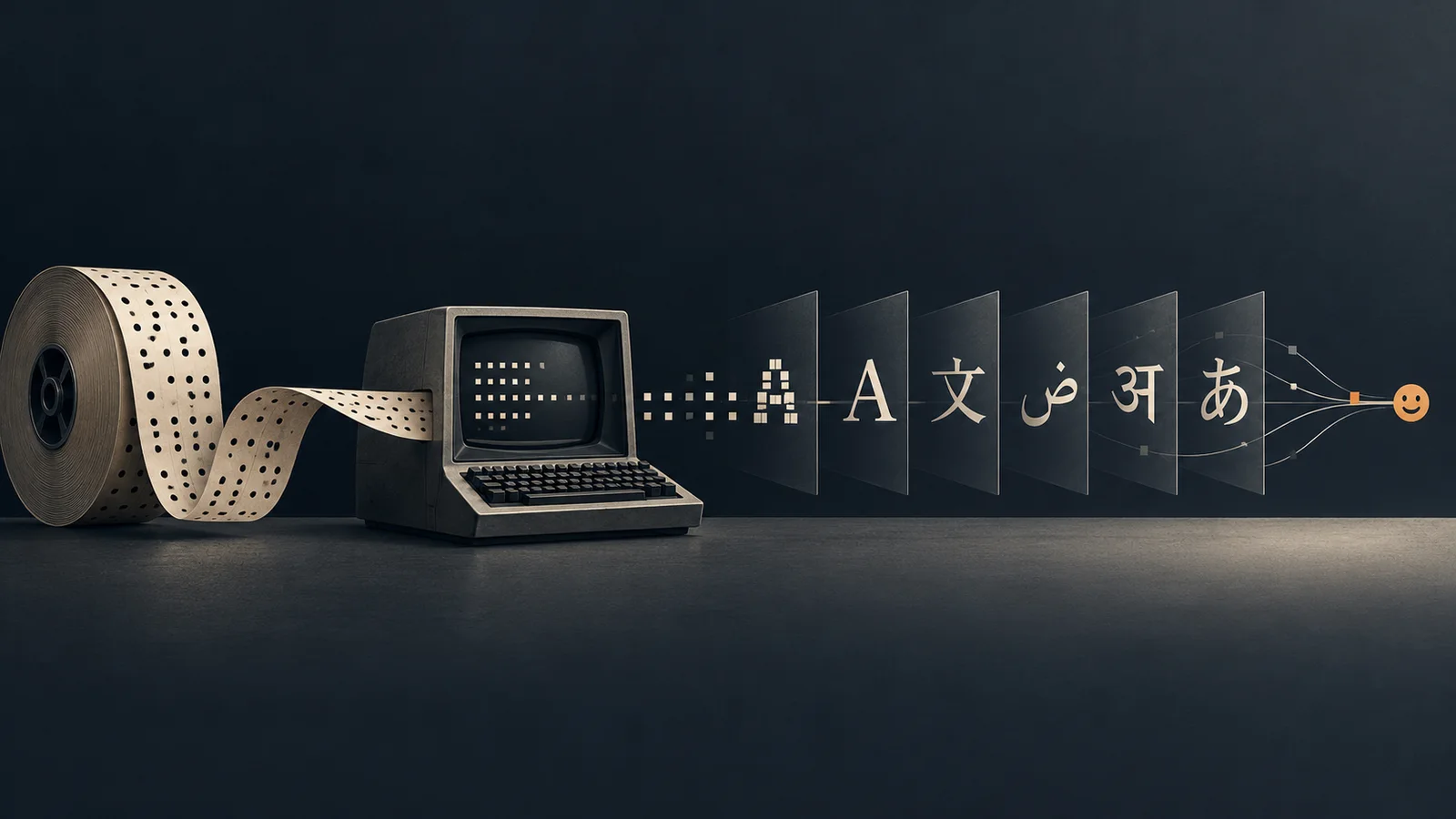
Every String you type in Xcode has a long, messy and surprisingly human story behind it. By the end of this article you will know why "😀".count is 1, but "😀".utf8.count is 4, and how we got there: from a 7-bit table in 1963 to emoji today.
Let’s follow that story and see how each step shows up in the Swift code you write today.
1963     ● ASCII        7 bits, 128 English characters
         │
1980s    ● Code pages   same byte, different characters
         │
1991     ● Unicode      one number for every character
         │
1991–96  ● UTF-16       2 bytes (or 4), endianness problem
         │
1992     ● UTF-8        variable length 1 to 4 bytes
         │
2001     ● UTF-32       fixed 4 bytes
         │
2010     ● Emoji        one character, many character numbers
         │
2014–19  ● Swift        stored as UTF-8, shown as characters
The Basics
Before the story starts, we need four simple ideas. Everything later builds on them.
1. Bits and Bytes: one byte holds a number from 0 to 255
A bit is a 0 or a 1. A byte is 8 bits in a row. With 8 bits we can make 2⁸ = 256 different values, from 0 to 255.
Each bit position has a value: a power of 2. A bit that is 1 adds its value, and a bit that is 0 adds nothing.
One byte = 8 bits

 bit position:   7    6    5    4    3    2    1    0
              ┌────┬────┬────┬────┬────┬────┬────┬────┐
              │ 0  │ 1  │ 0  │ 0  │ 0  │ 0  │ 0  │ 1  │
              └────┴────┴────┴────┴────┴────┴────┴────┘
 power of 2:    2⁷   2⁶   2⁵   2⁴   2³   2²   2¹   2⁰
 worth:         128   64   32   16    8    4    2    1

 Add up the bits that are 1:   64 + 1 = 65
That is all a computer has: numbers made of bits. There are no letters inside it. So how does it store the text “Hi”? It stores one number per letter: H is 72 and i is 105. But who decides that H is 72? That is the next point.
2. Character Number/Code: every character gets a number/code
Who decides that H is 72? We do, by agreement. Imagine you and a friend invent a secret code: A = 1, B = 2, C = 3 …. If you send “8 9” and your friend knows the code, they read “HI”. If they don’t know it, it is just two numbers. Real tables just use different numbers, for example A is 65.
Computers do the same thing. They use a catalog/table that gives every character its own number. That number is called a character number (or character code).
 ┌───────────┬──────────────────┐
 │ Character │ Character number │
 ├───────────┼──────────────────┤
 │    H      │        72        │
 │    i      │       105        │
 │    é      │       233        │
 │    😀     │      128512      │
 └───────────┴──────────────────┘
        the catalog/table
Want to see a real one? Here is the ASCII table.
The catalog/table only answers one question: “Which number belongs to this character?” It does not say how to save that number in memory. That is the job of the next point: encoding.
3. Encoding: the same character number can become different bytes
Encoding is the rule that turns a character number into bytes, so we can save it in memory, in a file, or send it over the network.
   what you see          the number            what is stored
   ────────────          ──────────            ──────────────

       "H"      ───────►    72      ───────►   0100 1000
   (character)           (char. number)          (bytes)

            ▲                          ▲
            │                          │
        THE CATALOG/TABLE          ENCODING
        "which number is           "how do we write that number
         this character?"           down as bytes?"
- Encoding = turning text into bytes
- Decoding = turning bytes back into text
In the old days, the character number and the byte were the same. In ASCII, H is 72, and we store the byte 72. There is nothing to decide, so nobody noticed the difference between the catalog/table and the encoding.
But when there are more characters than one byte can hold (256), there are many ways to represent them in bytes (these are the encoding/decoding methods). The same character becomes different bytes depending on the encoding:
| Character | Character number | Latin-1 | UTF-8 | UTF-16 |
|---|---|---|---|---|
H | 72 | 48 | 48 | 00 48 |
é | 233 | E9 | C3 A9 | 00 E9 |
€ | 8364 | not available | E2 82 AC | 20 AC |
Bytes are often written in hex (base 16), for example 48 is 72 and E9 is 233. Latin-1, UTF-8 and UTF-16 are three different encoding methods. We will meet them in the next sections.
Look at é: same character, same character number/code, different bytes. You can check this in Swift:
// Prints the bytes of a string in hex
func bytes(_ s: String, _ e: String.Encoding) -> String {
    s.data(using: e)?.map { String(format: "%02X", $0) }.joined(separator: " ")
        ?? "— (can't encode)"
}

bytes("é", .isoLatin1)        // "E9"
bytes("é", .utf8)             // "C3 A9"
bytes("é", .utf16BigEndian)   // "00 E9"
bytes("€", .isoLatin1)        // "— (can't encode)"
The most important rule: if you read bytes ( decoding ) with a different encoding method than the one used to write them ( encoding ), you get the wrong text. This is the reason for almost every “weird characters” bug you have ever seen.
4. Endianness: which byte comes first?
Some numbers need more than one byte. For example, 😀 is number 128512, which is more than 255. Take 0x123456 (0x means “hex”): it needs three bytes, 12, 34 and 56. In which order do we store them?
Two words first: the big end of a number is the byte that is worth the most, and the little end is the byte that is worth the least. It works like the decimal number 123, where 1 (hundreds) is the big end and 3 (ones) is the little end.
 0x123456 =    12        34        56
               ▲                   ▲
            big end            little end
          (worth most)       (worth least)
There are two ways to store these bytes. Big-endian stores the big end first, and little-endian stores the little end first. In the diagrams, address 0 is the first place in memory, address 1 is the next, and so on:
 BIG-ENDIAN: the big end (12) is stored first

 memory address:    0     1     2
                 ┌─────┬─────┬─────┐
                 │  12 │  34 │  56 │
                 └─────┴─────┴─────┘
                    ▲           ▲
                 big end   little end

 LITTLE-ENDIAN: the little end (56) is stored first

 memory address:    0     1     2
                 ┌─────┬─────┬─────┐
                 │  56 │  34 │  12 │
                 └─────┴─────┴─────┘
                    ▲           ▲
               little end    big end
The names come from the book Gulliver’s Travels, where two kingdoms go to war over which end of a boiled egg you should crack. Computers have their own egg war:
- Network protocols use big-endian
- Intel and Apple chips (Mac, iPhone, iPad) use little-endian
You can see it in Swift:
// Swift has no 3-byte only integer, so we use UInt32 (4 bytes). The extra byte is just 00 ( padding ).
// withUnsafeBytes shows the bytes as they sit in memory.
let value: UInt32 = 0x123456

withUnsafeBytes(of: value) { $0.map { String(format: "0x%02x", $0) } }
// [0x56, 0x34, 0x12, 0x00]  little-endian (this device)
withUnsafeBytes(of: value.bigEndian) { $0.map { String(format: "0x%02x", $0) } }
// [0x00, 0x12, 0x34, 0x56]  big-endian
💡Why does this matter for strings? Any encoding that uses units bigger than one-byte (UTF-16 and UTF-32, you will meet them soon) must choose an order. UTF-8 uses single-byte units, so it never has this problem. Keep this in mind, because it comes back in the UTF-16 part of the story.
That’s all four basics. Now the story.
1963: ASCII, 7 bits for 128 English characters
Before ASCII, every manufacturer had its own way to store characters, so machines from different companies could hardly share a sentence.
In 1963 the American Standards Association published ASCII (American Standard Code for Information Interchange): 7 bits, so 2⁷ = 128 character numbers, from 0 to 127. A byte has 8 bits, so one bit stays unused.
| Character numbers | What they are | Examples |
|---|---|---|
| 0 – 31 | Control codes: instructions, not visible symbols | 7 = “bell” (beep), 9 = tab, 10 = new line |
| 32 – 126 | Printable characters (95): symbols you can see | 32 = space, 48–57 = 0–9, 65–90 = A–Z, 97–122 = a–z |
| 127 | Delete (also a control code) | DEL |
ASCII was designed in a clever way. H is 72 and h is 104, exactly 32 apart. Only one bit is different, bit 5 (2⁵, worth 32):
 'H' = 0100 1000  (72)
 'h' = 0110 1000  (104)
         ▲
         └── bit 5: 0 = upper case, 1 = lower case
You can check ASCII in Swift:
Character("H").asciiValue   // Optional(72)
Character("é").asciiValue   // nil  ← not in ASCII
In ASCII, the catalog/table and the encoding are the same thing: the character number and the stored byte are the same. For example, H is number 72, so it’s stored as byte 72. This worked well for English, but ASCII couldn’t represent characters from many other languages, like German ü, French é, or Arabic ع.
1980s: Code Pages, The Same Byte, Different Characters
ASCII worked well for English, but what about German ü, French é, Russian Ж, or Arabic ع?
A byte has 256 possible values, but ASCII only used 128 ( First 7 bits from the byte ~ 2⁷ ). So the remaining 128 values (128–255) were used for additional characters.
The problem? Different languages needed different characters, so regions and companies created their own character tables, called code pages:
- ISO 8859-1 (Latin-1): Western European characters like
é,ü,ñ,ß - ISO 8859-5: Cyrillic characters
- ISO 8859-6: Arabic characters
- ISO 8859-7: Greek characters
- Windows-1252: Microsoft’s Western European encoding
But the same byte could represent different characters depending on the code page:
           Same byte: 0xE9 (233)
                      │
         ┌────────────┼────────────┐
         ▼            ▼            ▼
    ISO 8859-1   ISO 8859-5   ISO 8859-7
        é            щ            ι
If a file was opened using the wrong encoding, the result was mojibake (garbled text), like Grüße becoming Grüße.
You can reproduce this in Swift:
let data = "Grüße".data(using: .utf8)!
let wrong = String(data: data, encoding: .windowsCP1252)

print(wrong!) // "Grüße"
East Asian languages introduced another challenge: thousands of characters couldn’t fit into 256 values.
💡The lesson: Code pages helped support different languages, but there was no universal agreement on character numbers. The world needed one character catalog for every language.
That’s where Unicode comes in.
1991: Unicode, one number for every character in the world
In the late 1980s, engineers at Xerox and Apple started a big project: give one unique number/code to every character, regardless of language or writing system. The result was Unicode, first published in 1991.
Unicode writes every character number as U+ followed by hex:
 ┌─────────┬──────────┬──────────────────┐
 │ char    │ number   │ script           │
 ├─────────┼──────────┼──────────────────┤
 │   A     │ U+0041   │ Latin            │
 │   é     │ U+00E9   │ Latin            │
 │   ع     │ U+0639   │ Arabic           │
 │   €     │ U+20AC   │ Currency         │
 │   你    │ U+4F60   │ Chinese          │
 │   😀    │ U+1F600  │ Emoji            │
 └─────────┴──────────┴──────────────────┘
      one catalog/table, every language
Important: Unicode only answers “which number/code is this character?” (the catalog/table). How those numbers become bytes is a separate choice. That is where the next parts of the story come from. Want to see the real catalog? Here are the Unicode character charts.
let euro = "€"
euro.unicodeScalars.first!.value        // 8364 (0x20AC)
"\u{20AC}" == "€"                       // true
In Swift, the unicodeScalars view is exactly this list of character numbers.
UTF: three ways to store Unicode (8, 16 and 32 bits)
Unicode gave us the catalog/table. Now we need encodings to turn those numbers into bytes. The official Unicode encodings are called UTF, which stands for Unicode Transformation Format. There are three of them, and the number tells you the size of one “unit”:
| Name | One unit is | Meaning | Example |
|---|---|---|---|
| UTF-8 | 8 bits (1 byte) | Uses 1–4 bytes per character number ( variable length ) | A → 1 byte, 😀 → 4 bytes |
| UTF-16 | 16 bits (2 bytes) | Uses 2 or 4 bytes per character number | A → 2 bytes, 😀 → 4 bytes |
| UTF-32 | 32 bits (4 bytes) | Always uses 4 bytes per character number | A → 4 bytes, 😀 → 4 bytes |
All three can store/represent every Unicode character number, but each uses different rules to convert it into bytes. Here is the character number U+20AC (€) in all three:
             character number  U+20AC  (€)
                         │
          ┌──────────────┼───────────────┐
          ▼              ▼               ▼
        UTF-8          UTF-16          UTF-32
       E2 82 AC         20 AC        00 00 20 AC
       (3 bytes)       (2 bytes)       (4 bytes)
🤔 Wondering where bytes E2 82 AC come from? we explore each encoding in the next sections
The next parts tell the story of each one: UTF-16 first, then UTF-8, then UTF-32.
1991–1996: UTF-16, 2 bytes (or 4) and the endianness problem
Early Unicode thought 16 bits would be enough: always 2 bytes per character. Simple! Windows NT, Java and Apple’s Foundation (NSString) used this idea and stored text in 16-bit units.
And here endianness comes back. A 16-bit unit is two bytes, so which one goes first?
 The letter "A" (U+0041) in UTF-16:

   UTF-16 BE (big-endian)      UTF-16 LE (little-endian)
   ┌──────┬──────┐             ┌──────┬──────┐
   │  00  │  41  │             │  41  │  00  │
   └──────┴──────┘             └──────┴──────┘
How does a reader know the order? With a BOM (byte order mark): a special character number, U+FEFF, placed at the start of the file:
 File starts with  FE FF  →  big-endian
 File starts with  FF FE  →  little-endian
Array("A".data(using: .utf16)!)               // [255, 254, 65, 0] → BOM (FF FE) + little-endian
Array("A".data(using: .utf16BigEndian)!)      // [0, 65]
Array("A".data(using: .utf16LittleEndian)!)   // [65, 0]
Then the real world arrived: old scripts, rare Chinese characters and emoji needed more than 65,536 numbers. In 1996, Unicode grew to over one million character numbers (up to U+10FFFF).
The solution was still UTF-16. Characters from the original range still use one 16-bit unit (2 bytes), while characters outside that range use two units together (4 bytes instead of 2), called a surrogate pair.
 "A"  U+0041   →  [ 0041 ]                 1 UTF-16 unit  (2 bytes)

 "😀" U+1F600  →  [ D83D ][ DE00 ]         2 UTF-16 units (4 bytes)
                     ▲       ▲
                   high     low
                 surrogate surrogate
Array("A".utf16)     // [65]            → 1 unit
Array("😀".utf16)    // [55357, 56832]  → 0xD83D 0xDE00
One thing to remember in iOS: because
NSStringuses UTF-16,NSRange,UITextViewandNSAttributedStringstill count in UTF-16 units today.
1992: UTF-8, variable length 1 to 4 bytes
In September 1992, Ken Thompson and Rob Pike (famous for Unix and Plan 9) sketched a new encoding on a placemat in a New Jersey diner. It solved almost every problem at once:
- Variable length: 1 to 4 bytes per character number/code
- Works with ASCII: the first 128 character numbers are exactly like ASCII, so every old ASCII file is already valid UTF-8
- No endianness problem: the UTF-8 units are single bytes with a fixed byte order, so big-endian and little-endian don’t apply (ex: € is always E2 82 AC)
- Easy to recover: if you start reading in the middle of the data, you can quickly find where the next character begins
The trick is in the first bits of each byte:
 Number range           Bytes   Bit pattern  (x = bits of the character number)
 ─────────────────────  ─────   ─────────────────────────────────────────
 U+0000  – U+007F         1     0xxxxxxx
 U+0080  – U+07FF         2     110xxxxx 10xxxxxx
 U+0800  – U+FFFF         3     1110xxxx 10xxxxxx 10xxxxxx
 U+10000 – U+10FFFF       4     11110xxx 10xxxxxx 10xxxxxx 10xxxxxx
The first byte tells you how long the character is, and every next byte starts with 10. Here is € packed step by step:
 "€" = U+20AC = 0010 0000 1010 1100

 split into 4 + 6 + 6 bits:    0010   000010   101100
                                 │      │        │
 put into the 3-byte pattern:    │      │        │
                          1110 ┤ 0010   │        │     → E2
                          10   ┴─ ──► 000010      │     → 82
                          10          ───────► 101100  → AC

 Result: E2 82 AC   (3 bytes)
Array("A".utf8)    // [65]                       1 byte
Array("é".utf8)    // [195, 169]                 2 bytes
Array("€".utf8)    // [226, 130, 172]            3 bytes
Array("😀".utf8)   // [240, 159, 152, 128]       4 bytes
UTF-8 took over the web, email, Linux and APIs everywhere. Today UTF-8 it is the default answer to “which encoding should I use?” (and the JSON standard requires it).
2001: UTF-32, fixed 4 bytes
After UTF-16 and UTF-8, there is a third idea, and it is the easiest one: give every character number the same size, 4 bytes (32 bits). The biggest character number, U+10FFFF, needs only 21 bits, so 32 bits are always enough.
 "A"  U+0041   →  [ 00 00 00 41 ]
 "é"  U+00E9   →  [ 00 00 00 E9 ]
 "😀" U+1F600  →  [ 00 01 F6 00 ]

 Always 4 bytes. One unit = one character number.
What is good about it:
- Very simple. No pairs, no changing length. To find the 5th character number, jump 5 × 4 bytes.
What is not so good:
- It wastes space. English text becomes 4 times bigger than in UTF-8, and most of the bytes are zeros.
- Endianness is back. Like UTF-16, you have to choose big-endian or little-endian (UTF-32BE and UTF-32LE), or use a BOM.
- Because of this, it is rarely used to save files or send data over the network. You mostly meet it inside programs, for example when a program wants a simple array of character numbers.
You already know UTF-32 in Swift: every Unicode.Scalar is a 32-bit number.
Array("A".data(using: .utf32BigEndian)!)      // [0, 0, 0, 65]
Array("A".data(using: .utf32LittleEndian)!)   // [65, 0, 0, 0]

"😀".unicodeScalars.map(\.value)              // [128512] ← one number = one character number
Important: even in UTF-32, one unit is a character number, not always a character you see. The family emoji ( compound emoji ) you will meet later still needs 5 units.
2010: Emoji, one character made of many character numbers
Just when it looked solved, Unicode brought a new twist: one character you see can be made of several character numbers.
écan be one character number (U+00E9) or the lettereplus a separate accent (U+0065 U+0301)- Emoji can be glued together: 👨👩👧 is three people joined by invisible “zero-width joiners”
- A flag is two special letters together, and a skin-tone emoji is a base emoji plus a color
Emoji started on Japanese mobile phones in the late 1990s and joined Unicode in 2010. Suddenly, normal users typed characters that broke the assumptions of many apps.
Swift has a great answer here: a Character is what a human sees as one symbol (the technical name is extended grapheme cluster).
👨👩👧 ← what the user sees: ONE character
┌──────────────────────────────────────────────────────────┐
│ Character 1 ┃ 👨👩👧 │
├──────────────────────────────────────────────────────────┤
│ Unicode 5 ┃ 👨 ZWJ 👩 ZWJ 👧 │
│ scalars ┃ U+1F468 U+200D U+1F469 U+200D U+1F467 │
├──────────────────────────────────────────────────────────┤
│ UTF-8 bytes 18 ┃ 4 + 3 + 4 + 3 + 4 │
└──────────────────────────────────────────────────────────┘
let family = "👨👩👧"
family.count // 1 ← what the user sees
family.unicodeScalars.count // 5 (3 people + 2 joiners)
family.utf16.count // 8
family.utf8.count // 18
A visible é can also be stored/represented in two ways. Swift treats both as equal when you use ==:
 "é" (one number)   :  [ U+00E9 ]              → UTF-8: C3 A9       (2 bytes)
 "é" (two numbers)  :  [ U+0065 ][ U+0301 ]    → UTF-8: 65 CC 81    (3 bytes)
                         e        ´
 They look the same. Swift says they are equal. The bytes are different.
"\u{00E9}" == "e\u{0301}"                  // true
"\u{00E9}".utf8.count                       // 2
"e\u{0301}".utf8.count                      // 3
💡 Normalization: When you need consistent bytes (for example, before hashing or comparing with another system), convert strings to the same Unicode form. In Swift, you can use precomposedStringWithCanonicalMapping (the “NFC” form).
2014–2019: Swift, stored as UTF-8, shown as characters
Swift started in a world shaped by everything above, and it made careful choices:
- Early Swift was connected to Objective-C’s UTF-16
NSString - Swift 4 (2017) made
Stringa collection ofCharacters again, so that results match what humans see - Swift 5 (2019) changed the real storage to UTF-8, which makes converting to bytes and C strings cheap and string work faster
So today a Swift String is stored as UTF-8 but shown as characters, and every old view is one property away:
                      ┌─────────────────────────┐
   what users see ──► │  String / Character      │  characters
                      ├─────────────────────────┤
   Unicode table ───► │  .unicodeScalars         │  character numbers
                      ├─────────────────────────┤
   UIKit / NSRange ─► │  .utf16                  │  16-bit units
                      ├─────────────────────────┤
   network / files ─► │  .utf8                   │  bytes  (also the real storage)
                      └─────────────────────────┘
| View | Unit | Use it for |
|---|---|---|
String / Character | What the user sees | UI logic, user-facing length |
unicodeScalars | Character number | Unicode properties, filtering |
utf8 | Byte | Networking, hashing, byte limits |
utf16 | 16-bit unit | NSRange, UIKit, Foundation |
To convert to and from bytes, use String.Encoding. It still knows the old encodings from the 1980s:
"Grüße".data(using: .utf8)          // ✅ the modern default
"Grüße".data(using: .isoLatin1)     // ✅ old systems
"Grüße".data(using: .ascii)         // nil ← ü and ß did not exist in 1963

// Strict vs. forgiving when the bytes are broken:
String(data: Data([0x48, 0x69, 0xFF]), encoding: .utf8)   // nil
String(decoding: [0x48, 0x69, 0xFF], as: UTF8.self)       // "Hi�"
Bonus: Base64, Hex and Percent-encoding
There is one more family of “encodings”, and it solves a different problem: how do we send any data through a channel that only accepts text? Each one was created because of a real problem.
   binary data  ──►  [ Base64 / Hex / Percent ]  ──►  safe text  ──►  email, URL, JSON
  (image, token)         "wrap it up"                (A-Z a-z 0-9 ...)
Base64: 3 bytes become 4 safe characters
Old email systems only handled simple text. To send a photo, the binary data was changed into 64 safe characters (made official in the MIME standard in the mid-1990s). It takes 3 bytes and makes 4 characters:
 "Hel"  =  48       65       6C          (3 bytes = 24 bits)
        =  01001000 01100101 01101100

 cut into 6-bit pieces:
           010010 | 000110 | 010101 | 101100
              18       6       21       44        (position in the Base64 alphabet)
              S        G       V        s

 Result: "SGVs"   (4 characters)
Today it is everywhere: JWTs, images inside JSON, Basic Auth.
Data("Hello, Swift!".utf8).base64EncodedString() // "SGVsbG8sIFN3aWZ0IQ=="
Hex: 2 characters per byte
Two characters per byte. Easy to read in logs, hashes and APNs device tokens.
deviceToken.map { String(format: "%02x", $0) }.joined()
Percent-encoding: unsafe bytes become %XX
A URL can only contain a small set of ASCII characters, and some of them (&, ?, #) have a special meaning. So every other byte becomes % plus its hex value, using the UTF-8 bytes:
 "café"  →  UTF-8 bytes:  63 61 66 C3 A9
                                    └──┘
         →  "caf%C3%A9"          each unsafe byte becomes %XX
var components = URLComponents(string: "https://api.example.com/search")!
components.queryItems = [URLQueryItem(name: "q", value: "swift & café")]
components.url   // …?q=swift%20%26%20caf%C3%A9
💡 URLComponents takes care of URL encoding automatically, so avoid manual URL encoding.
Summary: 5 rules to remember
   Character ──► Character number/code ──► Bytes
   (what you see)  (from the catalog/table) (made by the encoding method,
                                             plus endianness for 16/32-bit)
- Bytes mean nothing without an encoding. Always know which encoding method you use, and say it clearly.
- UTF-8 is the default. For storage, networking and files, use it unless an old system forces something else. UTF-16 is for talking to
NSStringand UIKit, and UTF-32 is rare. Only UTF-16 and UTF-32 make you think about endianness. - Character ≠ character number ≠ byte. Choose the Swift view for your goal:
countfor humans,utf8.countfor byte limits,utf16for UIKit. - Use high-level APIs.
Codable,URLComponentsandString(data:encoding:)already contain the lessons from decades of bugs. - Test with difficult text:
ü,ß, Arabic and a family emoji will find bugs faster than any test that only uses ASCII.
From a 7-bit table in 1963 to emoji skin tones today, the story of string encoding is the story of the world slowly making room for everyone’s way of writing. And Swift’s String carries all of it for you.